Ever wondered why your PC stutters during epic gaming moments? Unlock the secrets to peak performance with our deep dive into PC game benchmarking! We’ll explore the best tools, techniques, and troubleshooting strategies to transform your gaming experience from frustrating lag to buttery-smooth gameplay. Get ready to optimize your hardware, tweak your settings, and conquer any frame rate challenge!
From understanding the impact of your CPU, GPU, and RAM on frame rates to mastering in-game settings and interpreting benchmark results, this guide will equip you with the knowledge to diagnose performance bottlenecks and unleash the true potential of your gaming PC. We’ll cover everything from synthetic benchmarks to real-world in-game tests, ensuring you have the tools to fine-tune your rig for optimal performance in your favorite titles.
PC Game Benchmarking Tools and Techniques
PC game benchmarking is crucial for understanding your system’s capabilities and optimizing its performance for a smooth gaming experience. This involves using specialized tools and methodologies to assess various aspects of your hardware’s ability to handle demanding game environments. Choosing the right tools and understanding the different benchmarking approaches are essential for accurate and insightful results.
PC Game Benchmarking Tools
Selecting the appropriate benchmarking tool depends on your specific needs and technical expertise. Some tools offer simplified interfaces for casual users, while others provide advanced features for in-depth analysis. The following table compares five popular options:
| Tool Name | Key Features | Pros | Cons |
|---|---|---|---|
| 3DMark | Synthetic benchmarks, various test scenarios, detailed hardware analysis | Comprehensive results, widely recognized, easy to use | Can be expensive, doesn’t always reflect real-world game performance perfectly |
| Unigine Heaven/Valley/Superposition | High-quality graphics benchmarks, customizable settings, stress testing capabilities | Excellent for evaluating GPU performance, visually appealing results | Synthetic, may not represent actual game performance precisely |
| Time Spy (3DMark) | DirectX 12 benchmark, focuses on modern hardware capabilities | Excellent for assessing DirectX 12 performance, good for comparing systems | Primarily focused on DirectX 12, may not be relevant for older games |
| Shadow of the Tomb Raider Benchmark | In-game benchmark, uses a real game engine, customizable settings | Real-world performance indicator, provides FPS and other metrics | Limited to a specific game, less versatile than synthetic benchmarks |
| Metro Exodus Benchmark | In-game benchmark, high-fidelity graphics, detailed performance metrics | Realistic performance assessment, excellent for ray tracing evaluation | Limited to a specific game, requires a significant amount of storage space |
Benchmarking Methodologies
Two primary methodologies exist for assessing PC game performance: synthetic benchmarks and in-game benchmarks. Understanding their strengths and limitations is crucial for interpreting results accurately.
Synthetic benchmarks, like those offered by 3DMark and Unigine, use pre-rendered scenes and algorithms to stress-test hardware components. They provide consistent and repeatable results, allowing for easy comparisons between different systems or configurations. However, they might not perfectly reflect real-world game performance, as actual games have more complex elements that synthetic benchmarks may not fully replicate.
In-game benchmarks, on the other hand, utilize actual game engines to measure performance within a real game environment. Examples include built-in benchmarks in titles such as Shadow of the Tomb Raider or Metro Exodus. These offer a more realistic assessment of performance, directly showing how well your system handles the game’s specific demands. However, the results can be affected by the game’s optimization, specific scene complexity, and other variables, making direct comparisons less straightforward than with synthetic benchmarks.
Conducting a Comprehensive PC Game Benchmark
A comprehensive benchmark involves a systematic approach, considering several factors for accurate and reliable results.
Hardware and Software Requirements: Ensure your system meets the minimum and recommended specifications of the game you intend to benchmark. Update your graphics drivers to the latest versions for optimal performance and stability. Close unnecessary background applications to minimize system load during the benchmarking process.
Benchmark Settings: Choose appropriate settings for your benchmark. For synthetic benchmarks, you can often select different presets or customize individual settings (resolution, anti-aliasing, shadows, etc.). For in-game benchmarks, selecting a representative in-game scenario is crucial. Running benchmarks at multiple settings helps to understand performance scaling across different visual fidelity levels.
Data Interpretation: Analyze the results carefully. Pay attention to metrics like frames per second (FPS), minimum and maximum FPS, and average FPS. Consider the overall consistency of performance. Significant frame drops or inconsistencies might indicate bottlenecks in your system. Compare results across different settings to identify performance trade-offs between visual quality and frame rate.
Factors Affecting PC Game Performance
Getting the most out of your PC gaming experience requires understanding the intricate interplay between hardware and software. A high-end graphics card won’t magically deliver smooth gameplay if your CPU is bottlenecking, or if your game settings are improperly configured. This section delves into the key factors influencing PC game performance, providing insights to help you optimize your system for the best possible gaming experience.
Hardware Components and Their Impact on Gameplay
The performance of your PC games is directly tied to the capabilities of its individual hardware components. A balanced system, where each component works efficiently with others, is crucial for optimal performance. A weak link in the chain can significantly impact the overall experience.
- CPU (Central Processing Unit): The CPU is the brain of your computer, responsible for handling game logic, AI, physics calculations, and more. A powerful CPU ensures smooth gameplay, especially in complex games with many in-game elements. A weak CPU can lead to stuttering, low frame rates, and overall poor responsiveness.
- GPU (Graphics Processing Unit): The GPU renders the visuals you see on screen. A high-end GPU is essential for high resolutions, high frame rates, and advanced graphical effects. A less powerful GPU will result in lower visual fidelity and frame rates, potentially impacting the overall immersion and enjoyment of the game.
- RAM (Random Access Memory): RAM acts as short-term memory for your computer. Games load assets and data into RAM for quick access. Insufficient RAM can lead to stuttering, slow loading times, and overall performance issues, particularly in memory-intensive games.
- Storage: The speed of your storage device (HDD or SSD) impacts loading times. Solid State Drives (SSDs) offer significantly faster loading times compared to Hard Disk Drives (HDDs), resulting in a more seamless gaming experience. Long loading screens can break immersion, and a slow drive can significantly impact the overall enjoyment.
Impact of Game Settings on Performance
Game settings directly affect the visual fidelity and performance. Adjusting these settings allows you to balance visual quality with frame rate, finding the optimal setting for your hardware.
For example, consider a game running at 1080p resolution. Setting the graphics quality to “Ultra” might yield stunning visuals but could significantly reduce the frame rate, leading to stuttering or lag. Lowering the graphics quality to “High” or “Medium” might reduce visual detail but significantly increase the frame rate, resulting in smoother gameplay. Similarly, anti-aliasing, which smooths jagged edges, can heavily impact performance.
Disabling or lowering the anti-aliasing setting can improve frame rates, especially on older or less powerful hardware. A game running at 4K resolution will generally demand significantly more processing power than the same game at 1080p, even with identical graphical settings.
Common Software Bottlenecks and Optimization Strategies
Software issues can significantly impact performance, even with top-tier hardware. Optimizing these aspects is crucial for smooth gameplay.
- Outdated or Corrupted Drivers: Outdated or corrupted graphics drivers are a common cause of performance problems. Ensuring your drivers are up-to-date and correctly installed is essential. Reinstalling drivers or using driver cleaning utilities can often resolve issues.
- Background Processes: Numerous background applications consuming system resources can negatively impact game performance. Closing unnecessary programs before launching a game can free up resources and improve performance. Using task manager can help identify resource-intensive applications.
- Operating System: A cluttered or poorly optimized operating system can hinder performance. Regularly cleaning temporary files, defragmenting the hard drive (if using an HDD), and ensuring the OS is up-to-date can help improve overall system performance and reduce game stuttering.
Interpreting Benchmark Results and Optimizing Performance
So, you’ve run your benchmarks – congratulations! Now comes the fun part: understanding the numbers and using that knowledge to supercharge your gaming experience. This section will guide you through interpreting benchmark results, pinpoint performance bottlenecks, and explore various optimization techniques to maximize your frame rates and minimize those pesky stutters. We’ll use real-world examples to illustrate the process.
Benchmark Result Interpretation
Benchmark results often present a wealth of data, from average FPS (frames per second) and minimum FPS to 1% and 0.1% lows, GPU and CPU utilization, and memory usage. Understanding these metrics is crucial for identifying performance bottlenecks. Let’s consider a hypothetical example: A benchmark run of a game at 1080p with high settings shows an average FPS of 60, a minimum FPS of 30, and a 1% low of 40.
The CPU utilization is consistently at 99%, while the GPU hovers around 70%. This suggests a CPU bottleneck. The average FPS might seem acceptable, but the low minimum and 1% low reveal significant frame drops, leading to a less-than-smooth gaming experience. The high CPU utilization confirms this suspicion; the CPU is struggling to keep up with the demands of the game.
In contrast, if the GPU utilization was consistently at 99% and the CPU usage was low, the bottleneck would be the graphics card.
Identifying Performance Bottlenecks
Identifying the bottleneck is the first step towards optimization. Analyzing benchmark results alongside hardware specifications allows for precise diagnosis. Consider the following table showing a typical scenario:
| Component | Utilization/Performance | Implication |
|---|---|---|
| CPU | 95-100% | CPU Bottleneck: Upgrade CPU or reduce CPU intensive settings (e.g., shadows, crowd density). |
| GPU | 50-70% | GPU is not fully utilized: Check for driver issues or optimize settings for better GPU usage. |
| RAM | 90-100% | Memory Bottleneck: Upgrade RAM or reduce texture resolution and other memory-intensive settings. |
| Storage (SSD/HDD) | High Read/Write times | Storage Bottleneck: Upgrade to a faster SSD. |
This table illustrates how component utilization data directly points towards potential bottlenecks. High utilization across the board may suggest a combination of bottlenecks.
Methods for Optimizing PC Game Performance
Optimizing game performance involves a multi-pronged approach.
Adjusting In-Game Settings
Games often offer a wide array of graphical settings. Reducing settings like shadow quality, texture resolution, anti-aliasing, and ambient occlusion can significantly impact performance, especially on less powerful systems. Experiment with different settings to find the optimal balance between visual fidelity and frame rate.
Updating Drivers
Outdated or corrupted graphics drivers are a common cause of performance issues. Regularly updating drivers from the manufacturer’s website (Nvidia, AMD, Intel) is essential.
Overclocking Hardware (Risks Involved)
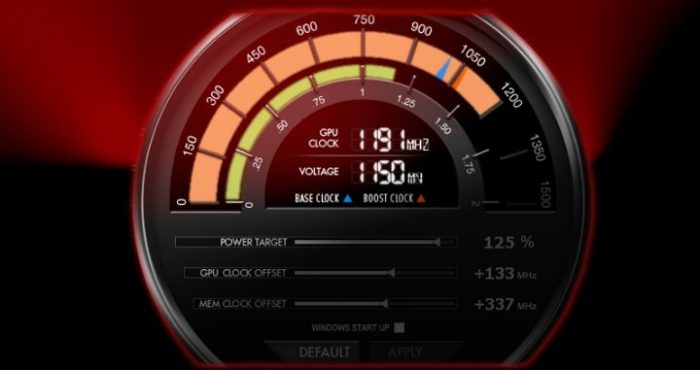
Overclocking involves increasing the clock speed of your CPU or GPU beyond their factory settings, potentially boosting performance. However, this carries risks, including system instability, hardware damage, and reduced lifespan. Overclocking should only be attempted by experienced users with proper cooling and monitoring tools.
Managing Background Processes
Background processes can consume system resources, impacting game performance. Closing unnecessary applications and services before gaming can free up resources. Use Task Manager (Windows) or Activity Monitor (macOS) to identify and close resource-intensive processes.
Troubleshooting and Resolving PC Game Performance Issues
A flowchart can effectively visualize the troubleshooting process. Imagine a flowchart with the following steps:(Note: A visual flowchart cannot be created within this text-based response. However, a textual representation is provided below.)Start -> Identify Performance Issue -> Run Benchmark Tests -> Analyze Results (Identify Bottleneck) -> CPU Bottleneck? (Yes/No) -> (Yes: Reduce CPU load settings, Upgrade CPU) -> (No: GPU Bottleneck?
(Yes/No)) -> (Yes: Reduce GPU load settings, Upgrade GPU) -> (No: Memory Bottleneck? (Yes/No)) -> (Yes: Upgrade RAM, Reduce Texture Resolution) -> (No: Storage Bottleneck? (Yes/No)) -> (Yes: Upgrade to SSD) -> (No: Driver Issues? (Yes/No)) -> (Yes: Update Drivers) -> (No: Background Processes? (Yes/No)) -> (Yes: Close unnecessary processes) -> End.
Online Game Development and Related Topics
Creating a successful online game is a complex and multifaceted undertaking, requiring a blend of technical expertise, artistic vision, and a deep understanding of player psychology. From initial concept to post-launch maintenance, the journey is fraught with challenges but also brimming with opportunities for innovation and reward. This section delves into the key stages, challenges, and genre-specific considerations of online game development.
Online Game Development Stages
The creation of an online game unfolds in a series of distinct stages, each demanding careful planning and execution. Ignoring any of these phases can lead to significant problems down the line, impacting the game’s quality, player experience, and overall success.
| Stage | Description | Key Considerations | Technologies Used |
|---|---|---|---|
| Concept & Design | Defining the game’s core mechanics, setting, story, and target audience. This includes creating initial game design documents, concept art, and prototypes. | Market research, genre selection, unique selling points, target audience demographics, monetization strategy. | Concept art software (Photoshop, Krita), game design documents (Google Docs, Confluence), prototyping tools (Unity, Unreal Engine). |
| Pre-Production | Detailed planning and preparation before actual development begins. This involves refining game design, creating detailed specifications, assembling the development team, and securing funding. | Project management, resource allocation, risk assessment, budget planning, securing publishing deals. | Project management software (Jira, Trello), budgeting tools (Excel, dedicated project management software), communication platforms (Slack, Discord). |
| Production | The core development phase where programmers, artists, designers, and sound engineers work together to create the game. This involves coding, asset creation, level design, testing, and iteration. | Agile development methodologies, version control, code reviews, regular testing and bug fixing, collaboration tools. | Game engines (Unity, Unreal Engine), programming languages (C++, C#, Java), 3D modeling software (Maya, Blender), sound editing software (Audacity, Pro Tools), version control systems (Git). |
| Testing & Quality Assurance (QA) | Rigorous testing to identify and fix bugs, glitches, and balance issues. This includes alpha and beta testing with internal and external players. | Test case design, bug tracking, player feedback analysis, performance optimization, security testing. | Bug tracking software (Jira, Bugzilla), testing frameworks, automated testing tools. |
| Launch | The official release of the game to the public, often involving marketing campaigns, press releases, and community engagement. | Server infrastructure capacity, marketing strategy, launch event planning, customer support readiness. | Server hosting providers (Amazon Web Services, Google Cloud Platform), marketing platforms (social media, advertising networks), customer support tools (Zendesk, Intercom). |
| Post-Launch Support | Ongoing maintenance, updates, bug fixes, and community management after the game’s release. This often includes adding new content, features, and addressing player feedback. | Community management, content updates, bug fixing, server maintenance, player retention strategies. | Same as Production, plus community forums, social media management tools. |
Challenges and Opportunities in Online Game Development
Developing an online game presents unique challenges and opportunities compared to single-player titles. Scalability, security, and monetization are key areas requiring careful consideration.Scalability refers to the game’s ability to handle a growing number of concurrent players without performance degradation. This necessitates robust server infrastructure and efficient game architecture. For example,
- World of Warcraft*’s success is partly attributed to its continuously improved server infrastructure to accommodate millions of players. Security is paramount to protect player data and prevent cheating, requiring robust authentication systems and anti-cheat measures. Games like
- Fortnite* invest heavily in anti-cheat technology to maintain a fair and enjoyable playing environment. Monetization strategies, including subscriptions, in-app purchases, and advertising, must be carefully balanced to generate revenue without alienating players. The success of
- League of Legends*’s free-to-play model with cosmetic purchases demonstrates the potential of well-executed monetization.
Comparison of Online Game Genres
Different online game genres present varying development complexities and player engagement strategies.MMORPGs (Massively Multiplayer Online Role-Playing Games) like
- World of Warcraft* require extensive development resources due to their persistent worlds, complex character progression systems, and large-scale social interactions. Engagement relies on creating compelling storylines, rich lore, and fostering a strong community. MOBAs (Multiplayer Online Battle Arenas) like
- League of Legends* emphasize competitive gameplay, requiring meticulous balancing of characters and items, along with a robust matchmaking system. Player engagement is driven by competitive ranking systems, regular updates, and esports events. Battle Royale games like
- Fortnite* prioritize fast-paced action and last-player-standing gameplay. Development focuses on creating dynamic maps, innovative mechanics, and constant content updates to maintain player interest. Engagement relies on the thrill of competition, social interaction, and a rapidly evolving meta-game.
Specific Game Genres and their Characteristics
The world of video games boasts a diverse range of genres, each with its own unique set of mechanics, technical requirements, and design considerations. This section delves into the specifics of two popular genres: online racing games and bike games, highlighting their similarities and differences. We’ll explore the technical challenges and design choices that shape the player experience in these dynamic and visually engaging game categories.
Online Racing Games: Mechanics and Technical Requirements
Online racing games demand a high level of technical proficiency and meticulous design. Success hinges on creating a realistic and responsive driving experience, managing a large number of concurrent players, and ensuring fair competition. The core mechanics revolve around vehicle control, track design, and multiplayer interactions. Advanced physics engines are crucial for simulating realistic car behavior, including tire grip, aerodynamics, and collision detection.
Network infrastructure needs to handle real-time data exchange between players and servers to maintain a smooth and lag-free experience. Popular examples like Forza Horizon 5 and Gran Turismo 7 showcase the high level of detail and technical complexity involved. Forza Horizon 5, for example, utilizes a dynamic weather system impacting car handling, while Gran Turismo 7 is known for its meticulously detailed car models and physics.
These features require powerful hardware and sophisticated software solutions to deliver a high-quality experience.
Bike Games: Design Considerations and Technical Aspects
Bike games present a unique set of design and technical challenges compared to car racing games. The two-wheeled nature of bikes introduces complexities related to balance, leaning, and momentum. Accurate physics simulation is paramount, requiring sophisticated algorithms to model the bike’s response to rider input and environmental factors. The user interface must also be carefully designed to provide clear feedback to the player, especially regarding speed, lean angle, and gear changes.
Games like Trials Rising and MXGP demonstrate the need for precise physics and intuitive controls to create a satisfying and challenging experience. Trials Rising, for instance, focuses on precision platforming, demanding fine-tuned controls and realistic bike physics for successful navigation. MXGP, on the other hand, prioritizes realistic bike handling and terrain interaction. The physics engine must accurately simulate the effects of different terrain types on bike behavior.
Comparing Online Car Racing and Bike Games
While both online car racing and bike games fall under the racing genre, their design and development challenges differ significantly. Car racing games generally offer more forgiving handling, allowing for broader player skill ranges. The four wheels provide greater stability, simplifying control schemes and reducing the learning curve. Bike games, however, demand a higher degree of precision and skill due to the inherent instability of two wheels.
This requires more sophisticated physics engines and more nuanced control schemes to accurately represent bike dynamics. Network infrastructure requirements are also comparable, although bike games might require slightly less data transmission due to simpler vehicle models compared to the often highly detailed car models in car racing games. However, both genres require robust server infrastructure to handle real-time player interactions and data synchronization.
The development of both genres requires significant expertise in game physics, network programming, and user interface design, but the specific challenges and complexities vary based on the specific nuances of each vehicle type.
Gambling and its Relation to Game Development
The integration of gambling mechanics into online games presents a complex interplay of entertainment, profit, and ethical considerations. The increasing prevalence of “loot boxes,” in-game purchases with randomized rewards, and other similar systems has sparked significant debate regarding their potential for addiction and exploitation, particularly among vulnerable populations like children and adolescents. This section explores the ethical and legal landscapes surrounding this practice, examining the mechanisms employed and the regulatory bodies tasked with overseeing their implementation.The ethical considerations surrounding in-game gambling are multifaceted.
While proponents argue that these features are optional and simply enhance the gameplay experience, critics highlight the potential for addictive behavior and financial harm. The psychological mechanisms involved in these systems often mirror those found in traditional gambling, utilizing reward schedules and visual cues designed to maximize engagement and spending. The lack of transparency regarding the odds of obtaining desirable in-game items further exacerbates the issue, creating an environment ripe for exploitation.
Types of Gambling Mechanisms in Online Games
Several distinct mechanisms facilitate in-game gambling. Loot boxes, perhaps the most widely discussed, offer randomized virtual rewards for a monetary cost. Other methods include in-game casinos, where players can wager virtual currency on games of chance, and daily or weekly lotteries with various prizes. The impact on players can range from minor frustration over poor luck to significant financial losses and addictive behavior.
The psychological impact is often underestimated, with the design of many of these systems actively exploiting known psychological biases and vulnerabilities. For example, the “near-miss” effect, where players narrowly miss winning a significant prize, can be particularly powerful in maintaining engagement and encouraging further spending.
The Role of Gambling Commissions
Gambling commissions are governmental or quasi-governmental bodies responsible for regulating gambling activities within their jurisdictions. Their primary function is to ensure fair play, protect consumers, and prevent illegal gambling practices. These commissions typically perform several key functions, including licensing and monitoring gambling operators, enforcing regulations against underage gambling, and investigating complaints of unfair practices or fraud. They also often conduct research into the social and economic impacts of gambling and provide public education campaigns to raise awareness of responsible gambling practices.
The specific powers and responsibilities of a gambling commission vary by jurisdiction, but the overall goal is to create a safe and regulated environment for both operators and consumers. Examples include the UK Gambling Commission and the Nevada Gaming Control Board, which have established comprehensive frameworks for regulating online and offline gambling activities, respectively. These commissions employ various methods, including audits, investigations, and the imposition of fines, to ensure compliance with established regulations.
Final Conclusion

So, you’ve armed yourself with the knowledge to benchmark your PC games like a pro! Remember, optimizing your gaming experience is an ongoing process, but with the right tools and understanding, you can consistently push your system to its limits. Go forth, conquer those frame rate drops, and enjoy the smooth, immersive gameplay you deserve! Happy gaming!
Essential FAQs
What’s the difference between synthetic and in-game benchmarks?
Synthetic benchmarks use artificial tests to measure individual hardware components, while in-game benchmarks measure performance within actual games, providing a more realistic picture of gameplay experience.
How often should I benchmark my PC?
Benchmarking after major hardware changes (like a GPU upgrade) or driver updates is recommended. Regular benchmarking (every few months) can help track performance over time and identify potential issues early.
My game is still lagging after benchmarking and optimization. What next?
Consider checking for overheating components, running a virus scan, and ensuring your operating system is up-to-date. You might also need to investigate potential conflicts with other software or background processes.
What are the risks of overclocking my hardware?
Overclocking can improve performance but carries the risk of instability, system crashes, and even hardware damage if not done carefully. Start with small increments and monitor temperatures closely.